Description
UNIVIEW · IPC3634SS-ADF28KMC-I1
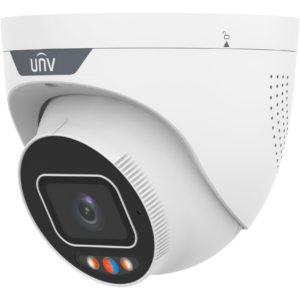
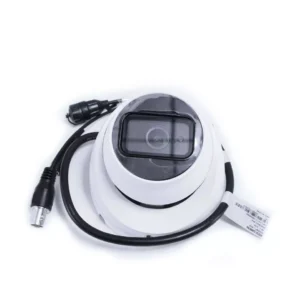
UNV IPC3634SS-ADF28KMC-I1 4MP Tri-Guard 2.0 IP Turret Camera
Combine 4 MP monitoring with light and audible deterrence. The IPC3634SS-ADF28KMC-I1 includes a built-in microphone and speaker, red and blue warning lights, plus IR and warm-light illumination.
4 MP2.8 mmIP67Two-way audio
Product overview
Monitor the scene and configure an active response to relevant events. Detection rules, illumination and audio settings can be tailored to the location, with local recording support for a compatible microSD card.
Image and lens
4 MP imaging with a 2.8 mm lens and 102.3° horizontal field of view.
Low-light visibility
IR range: 30 m (98.4 ft). Warm-light range: 30 m (98.4 ft).
Event detection
Cross-line and intrusion rules support human, vehicle and non-motor-vehicle classification.
Audio and recording
A built-in microphone and speaker support listening and two-way communication. Local storage: MicroSD, up to 512 GB.
Technical specifications
| Specification |
Details |
| Brand |
Uniview (UNV) |
| Model |
IPC3634SS-ADF28KMC-I1 |
| Resolution |
4 MP |
| Image sensor |
1/2.7″ CMOS |
| Maximum-resolution video |
4 MP (2688 × 1520), max. 30 fps |
| Lens |
2.8 mm |
| Aperture |
F1.0 |
| Horizontal field of view |
102.3° |
| Wide dynamic range |
130 dB |
| Minimum illumination |
Color: 0.001 Lux ( F1.0, AGC ON), 0 Lux with IR on |
| IR illumination range |
30 m (98.4 ft) |
| Warm-light range |
30 m (98.4 ft) |
| Video compression |
Ultra 265, H.265, H.264, MJPEG |
| Video streams |
Triple streams |
| Event functions |
Cross-line and intrusion rules support human, vehicle and non-motor-vehicle classification. |
| Built-in microphone |
Yes |
| Built-in speaker |
Yes |
| Two-way audio |
Built-in microphone and speaker |
| Audio input / output |
1 Input: impedance 35 kΩ, amplitude 2 V [p-p], 1 Output: impedance 600 Ω, amplitude 2 V [p-p] |
| Alarm input / output |
1/1 |
| MicroSD storage |
MicroSD, up to 512 GB |
| Network storage |
ANR, NAS (NFS) |
| Ethernet |
1 × RJ45 10 M/100 M Base-TX Ethernet |
| Integration |
API, SDK, ONVIF (Profile S, Profile G, Profile T, Profile M) |
| Power input |
DC 12 V±25%, PoE (IEEE 802.3af) |
| Maximum power consumption |
Max. 9.5 W |
| Protection |
IP67 (IEC 60529) |
| Operating environment |
-30 ℃ to 60 ℃ (-22 ℉ to 140 ℉), Humidity: ≤ 95% RH (non-condensing) |
| Material |
Metal |
| Dimensions |
Ø129 mm × 118 mm (Ø5.1″ × 4.7″) (Ø × H) |
| Weight |
0.70 kg (1.54 lb) |
| Compatible accessory examples |
TR-JB03-H-IN-V2, TR-WM03-B-IN-V2, TR-JB07/WM03-F-IN-V2 |
Installation planning: match the viewing angle and illumination range to the required detail at the subject distance. Confirm recorder compatibility and the power budget before installation.
Choose accessories for this model. Items are sold separately; add each item you need to your cart.
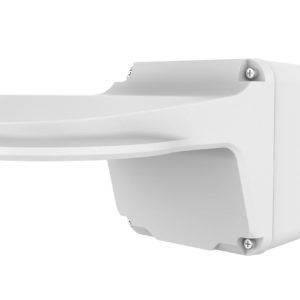
Wall mount with rear cable entry
TR-JB07/WM03-F-IN-V2
Wall-mount assembly with a rear cable outlet.
$80.00 Original price was: $80.00.$67.00Current price is: $67.00.
Add To Cart
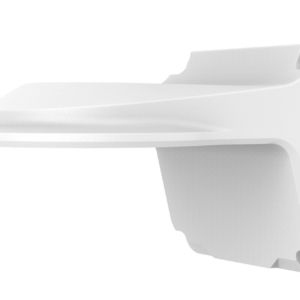
Wall mount
TR-WM03-B-IN-V2
Wall-mount bracket for this camera.
$68.00 Original price was: $68.00.$51.00Current price is: $51.00.
Add To Cart
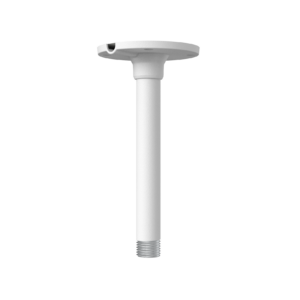
Pendant mount
TR-CM24-IN
For pendant installation. Check the required mounting base or junction box before ordering.
$30.00 Original price was: $30.00.$19.00Current price is: $19.00.
Add To Cart
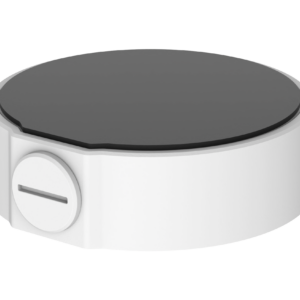
Junction box
TR-JB03-H-IN-V2
Cable-management junction box matched to this camera.
$33.00 Original price was: $33.00.$26.00Current price is: $26.00.
Add To Cart
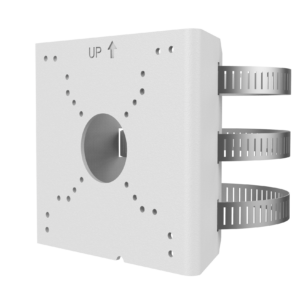
Pole adapter for junction-box combinations
TR-UP06-C-IN-V2
A compatible junction box or wall-mount assembly is required; this adapter alone does not mount the camera.
$36.00 Original price was: $36.00.$25.00Current price is: $25.00.
Add To Cart
Downloads & Support
IPC3634SS-ADF28KMC-I1
Mobile App
UniEase Mobile App
View live video, review available recordings and receive supported alerts. Formerly called UNV-Link.
Desktop / CMS
EZStation Desktop Software
Uniview video management software for supported cameras and recorders. Select Windows or macOS on the official download page.
Device Updates
Firmware
Open the manufacturer page, then choose Download → Firmware for your model.
Match the exact model, hardware revision and region before updating.
Documents
Product Documents
Manufacturer documents for this model.
Need Help With This Product?
Only logged in customers who have purchased this product may leave a review.






Reviews
There are no reviews yet.